Personal Website & Portfolio Publishing System
A personal site and repeatable publishing system that turns my experience and work into evidence-backed proof for employers and business partners.
Overview & Problem Statement
I wanted more than an online résumé. The objective was to highlight and demonstrate my background, experience, and skill set so future employers and business partners could see clear, evidenced proof of my ability.
Solution
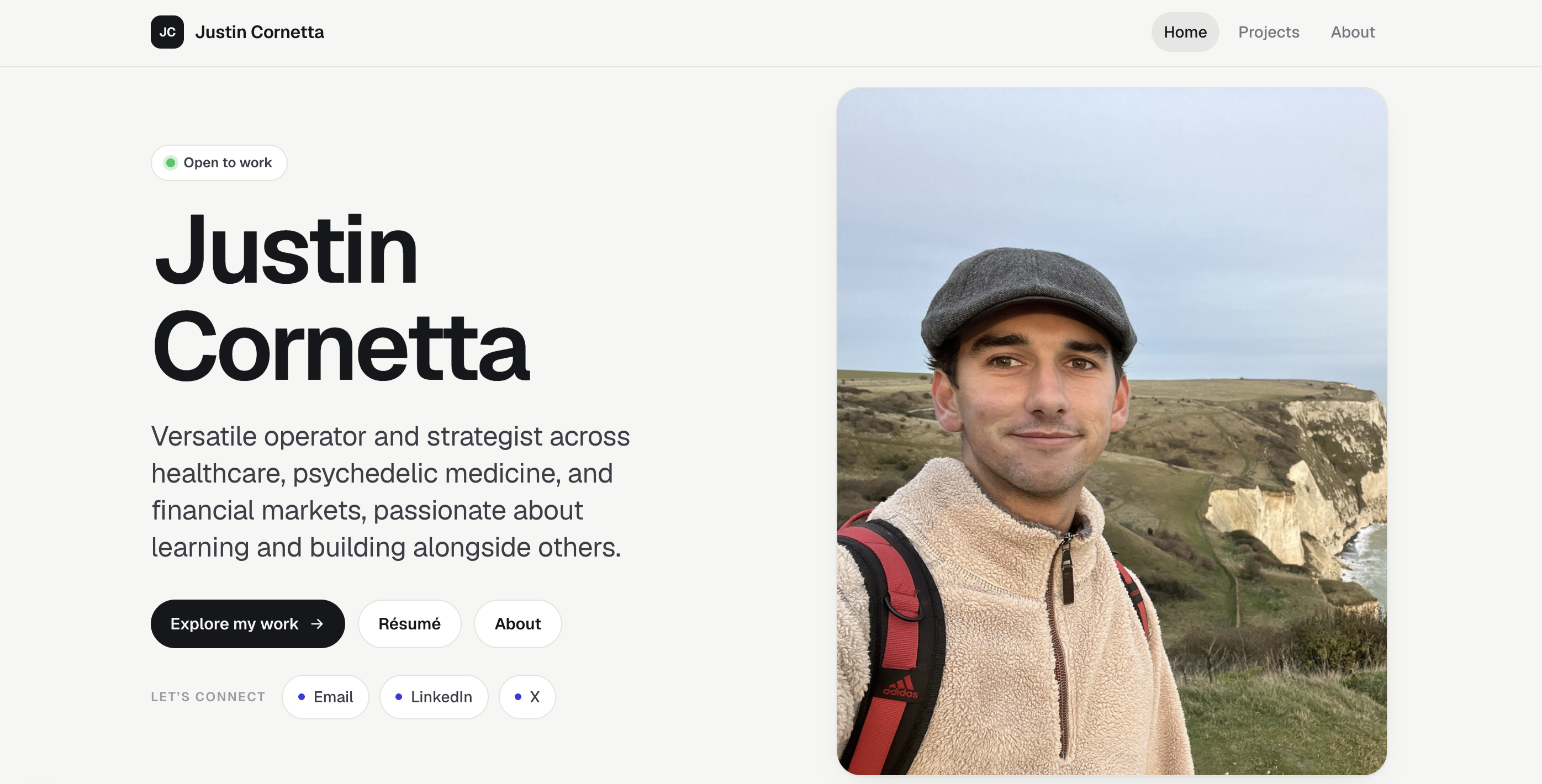
I built a personal website in Next.js with an MDX content system for projects, writing, and my background. I additionally paired the public site with a Notion-to-MDX workflow and two purpose-built Codex skills that standardize how projects are researched, drafted, reviewed, tested, and published. This workflow gives me a repeatable way to create consistent content for projects based on existing codebases and publish them to Notion, enabling me to edit text directly in Notion and, when finished, publish the final content to an MDX file for web deployment.
Implementation Details
- Defined the audience and purpose: I started by deciding who the website was for and what it needed to prove. The objective was to give future employers and business partners clear evidence of my background, experience, judgment, and ability to execute.
- Researched design references: I sourced inspiration from personal websites on Dribbble to define the visual direction, information hierarchy, and page structure. I shared those references with Codex and incorporated them into the implementation plan.
- Built the website foundation: I scaffolded the site in Next.js and created an MDX content model for projects and writing. Dynamic routes, structured metadata, and publishing-status controls made it possible to add content without rebuilding each page manually.
- Created the Notion content workspace: I created an editable Notion page for each major part of the website so I could draft, organize, and revise the content before moving it into the codebase.
- Built a repeatable portfolio workflow: I created two custom Codex skills. The
draft-portfolio-projectskill reads a project's local files, code, Git history, and supplied context, then drafts a public-safe case study using the template and voice documented inwriting-style.md. Once I approve the copy in Notion, thepublish-portfolio-projectskill converts it into MDX, handles media, runs local verification, and pauses for approval before any GitHub or pull-request write. I wrote the first project manually to establish the reference structure and writing style that the workflow now follows. - Consolidated my personal content: For the About, experience, and background content, I brought together existing Markdown notes from prior discussions, my LinkedIn profile, and my résumé. I used that source material to create initial drafts, then manually revised and approved the copy in Notion before publishing it through the same workflow.
- Refined the visual design: Once the content was in place, I improved the presentation through typography, spacing, images, logos, page composition, project cards, content carousels, calls to action, and responsive layouts. Working with real content helped me make better design decisions than designing around placeholders.
- Deployed and documented the system: I deployed the site on Vercel and documented how new content moves from source material to Notion, review, MDX, local verification, and publication. This turned a one-time website build into a repeatable portfolio system.
Features
- Evidence-first home page: Connects my professional experience, operating range, current interests, résumé, and selected work in one narrative.
- Project and writing libraries: Separate index and detail routes make case studies and research easy to browse.
- Responsive design system: Shared tokens, typography, spacing, themes, cards, buttons, and page layouts support desktop and mobile.
- Project presentation: Cards, content rails, walkthrough video support, metadata chips, and captioned gallery carousels create a consistent case-study format.
- Search and sharing foundations: Route-level metadata and a generated sitemap give every published item an addressable page.
- Notion-to-site workflow: Connects source evidence, editorial review, and controlled publishing through a repeatable set of gates.
- Draft portfolio project skill: Inspects local files, code, Git history, and project context, then creates a public-safe Notion case study with
Draftstatus. - Voice and writing style:
writing-style.mddefines the shared first-person, direct, evidence-based writing rules used across every case study, including public-safety requirements and the ban on em dashes. - Publish portfolio project skill: Requires
Ready to Publishapproval in Notion, converts the approved page to MDX, verifies it locally, and pauses for human approval before any GitHub write.
- Draft portfolio project skill: Inspects local files, code, Git history, and project context, then creates a public-safe Notion case study with
Outcomes & Impact
- A live personal website and portfolio deployed on Vercel with four core public surfaces and dynamic project and writing pages to validate my knowledge, skillset, and impact.
- A repeatable workflow including writing style instructions and 2 purpose-built Codex skills with distinct responsibilities for drafting and publishing.
Lessons Learned
- Manual first before automating: Manually designing and writing the first portfolio project helped me think more deliberately about the structure, content, and writing style. I then used that work as a template and a consistent workflow for future projects with customized skills and writing style, saving me time in the long run.
- Leverage existing assets for inspiration: Drawing inspiration from real examples helped me finalize and implement the website design more quickly.
Links
- Live site: Justin Cornetta Personal Website
- Repository: justincornetta/personal-website